
Standing Desk ASR Error? What It Means and How to Reset Your Desk
A standing desk that shows ASr or RST stays put until you reset it, and the reset is not the same on every desk. The steps for Uplift V2, FlexiSpot E7 Mini, Vari, Fully Jarvis and Autonomous desks, why the prompt keeps coming back, and which codes mean something else.
What to know
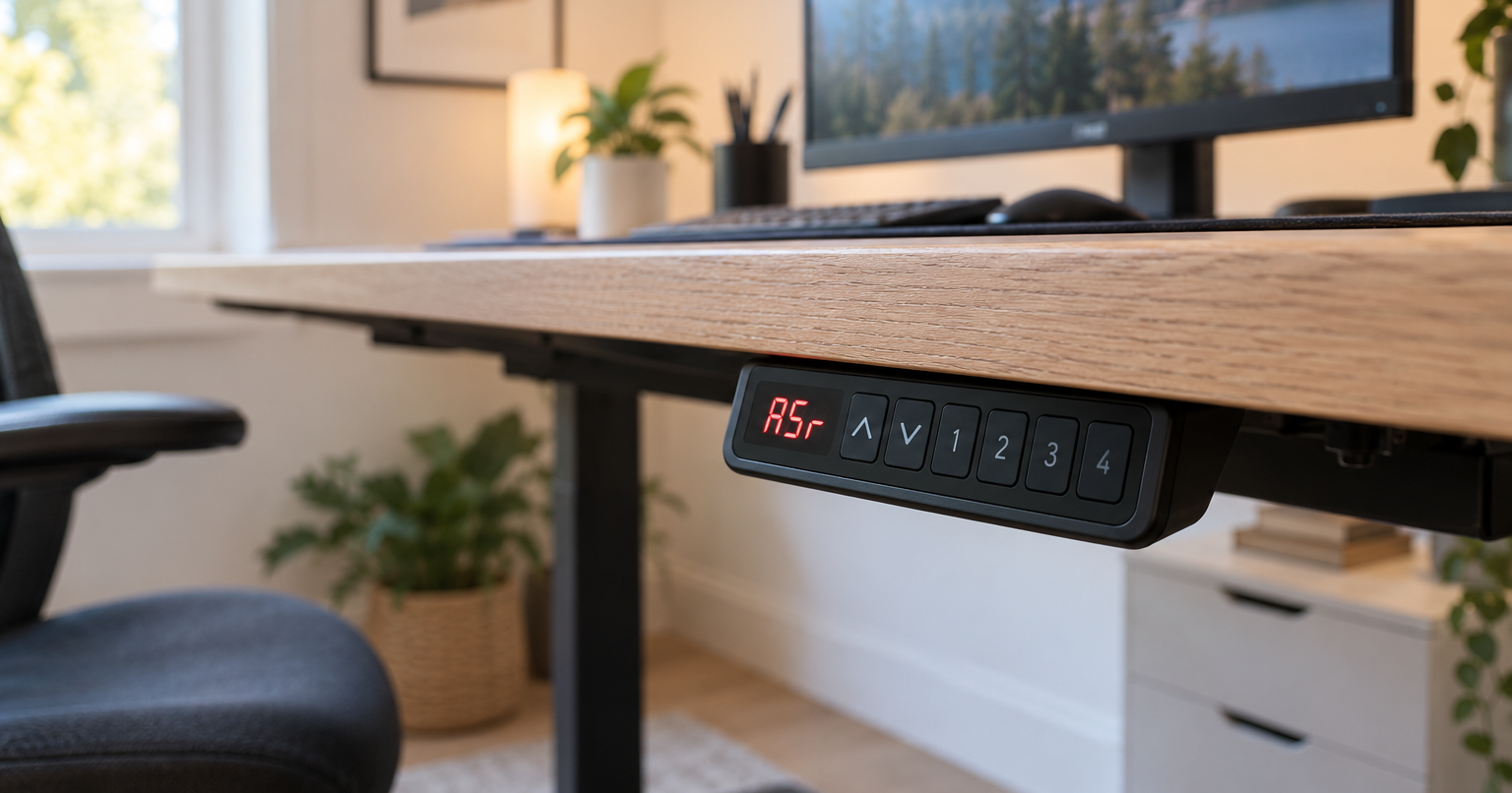
- "ASr" on an Uplift V2 or FlexiSpot E7 Mini is the reset prompt. Vari, the Autonomous Desk 2 and the Jarvis show it as "RST".
- The reset differs per desk, from one hold on a FlexiSpot E7 Mini to a sequence of holds and a power cycle on an Uplift V2. Except on the Autonomous Desk Pro, it ends with the desk at its lowest height, dipping slightly and rising.
- Clear the space under the desk first. On an Uplift, nothing taller than 21 in should be under it, because the desk travels all the way down.
- Uplift says to reset after any power loss and after any error code. If the prompt keeps returning, check whether a switched power strip or a smart plug routine cuts the desk's power overnight.
- H01 is the motor's duty cycle, not the reset prompt. On Uplift and Vari desks the fix is to wait, about 18 to 20 minutes; a reset does not clear it.
On an Uplift V2 or a FlexiSpot E7 Mini, "ASr" on the keypad is the reset prompt: the control box will not move the desk again until you run its reset. Vari desks and the Autonomous Desk 2 show the same prompt as "RST", and Fully describes the Jarvis screen as "RST (looks like ASR)". The reset differs per desk, from one hold on the down button to a sequence of holds with a power cycle if the first run fails, so use the block for your model below.
These steps cover Uplift V2 frames (F500), the FlexiSpot E7 Mini, Vari's current electric standing desks and the Essential 48x24, the Fully Jarvis, and the Autonomous Desk 2 and Desk Pro. Another model from the same brand can have a different control box, so if yours is not on this list, check the sheet that came with it.
Before you press anything
Clear everything from under the desk, including a chair pushed in and any cable that would go taut at the bottom, so the desk can reach its lowest height. Uplift warns against keeping anything taller than 21 in under the desk. On a Jarvis, also check that the control box is firmly attached to the frame and that the right leg cables are in use.
Uplift says 70 percent of the control boxes returned to it for replacement are not defective and would have been fixed by the reset, so run the reset before any call about parts.
The reset, desk by desk
Find your desk below and follow its steps from the top; the hold times and the order differ per model.
Uplift V2 (F500 C-frame and T-frame)
- Press the down button once, then hold it until the desk stops at its lowest position.
- Hold the down button again for 30 seconds or until the display changes. A keypad with a display shows "ASr"; a paddle keypad shows "RESET". Uplift's troubleshooting page gives 10 seconds for this hold instead; the display is the cue either way.
- Hold the down button again until the desk lowers slightly, rises and stops. If it did not move, repeat this step.
- Try the desk. If it still does not work: unplug the power cord, hold the down button for 10 seconds to discharge the control box, plug the desk back in and run the steps a second time.
Contact Uplift support if the error persists after the second run, or if the legs differ in height by more than 1.5 in.
FlexiSpot E7 Mini
- When the display shows "ASr", press and hold the down button until the desk reaches its lowest height and rebounds to a stop. FlexiSpot counts that stop as the finished reset.
- If the display shows "E01" or "E02" instead, wait 18 minutes and try again.
- If the down button does nothing: check the cable connections, cut the power for at least 10 seconds, reconnect, and press down again when "ASr" shows.
If none of that works, contact FlexiSpot customer service.
Vari electric standing desks
Vari gives these steps for the Electric Standing Desk in its current sizes, the ComfortEdge, L-Shape, Command Center, Curve and Ergo versions, and the Essential 48x24. Desks bought before June 2020 have a separate code list in the same place.
- Make sure all cables are securely connected.
- If the display shows an error code: press and hold the down arrow for about 5 seconds until "RST" flashes, then release it.
- With "RST" flashing: press and hold the down arrow until the desk reaches its lowest height, rises slightly and the display shows 25.0 (on the Essential, a height number). Do not release before it appears.
If E01 or E02 comes back after you reconnect the leg cables and reset, contact Vari.
Fully Jarvis
The steps differ slightly per handset. These are for handsets with a screen and a down arrow. On the touch handset, run the same sequence with a finger held on the Fully logo; the toggle handset has its own version in Fully's reset guide.
- Unplug the desk from power. Unplug every cable under the desk, including the leg cables at both ends, reconnect all of them except the power cable, then plug the power back in. This comes before the handset reset, on every handset.
- Hold the down arrow until the desk begins to move down. If it does not start, hold for up to 10 seconds (15 on some handsets), release, and hold again, up to three times. The screen reads "RST (looks like ASR)" or "RESET", depending on the handset.
- Once the desk is moving, keep holding until it reaches its lowest height, dips slightly and pops back up. If it does not pop up after 10 seconds, press and hold again.
- The reset is complete when the desk moves in both directions and shows a height.
If the desk becomes uneven at any point, stop troubleshooting and contact Fully.
Autonomous Desk 2 and Desk Pro
Autonomous gives a separate sequence for each of its two desks. On a Desk 2, hold the down button until the desk reaches its lowest position, hold it again for 5 seconds until the keypad shows "RST", then hold it until a height number appears. On a Desk Pro, hold up and down together for 3 seconds and release at the beep. Either reset clears the saved height presets, so re-save them afterwards.
When ASR keeps coming back
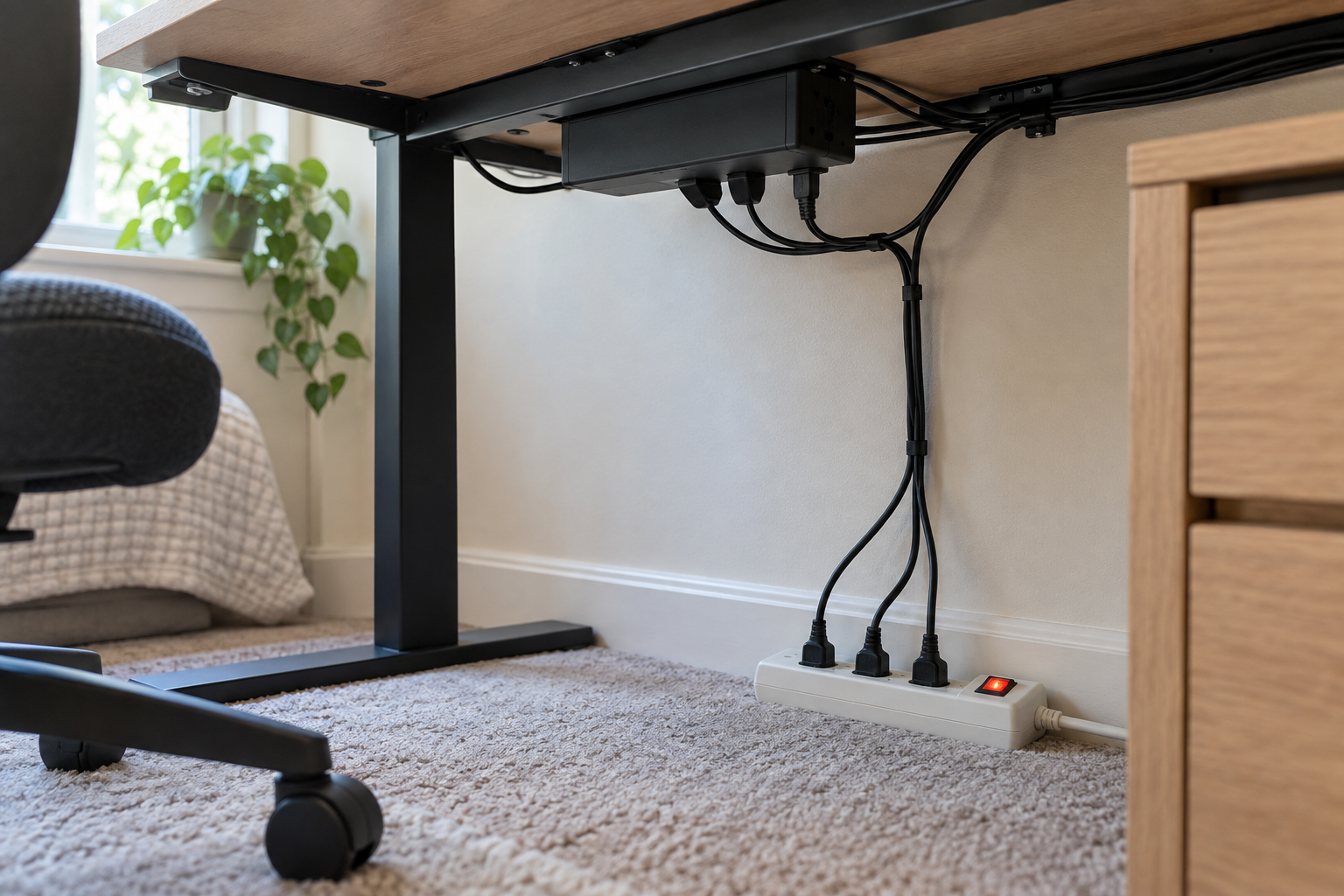
Power. Uplift says to reset the desk any time it is unplugged or loses power. If the prompt keeps returning, check where the desk gets its power: a power strip that is switched off at night, or a smart plug with a routine that turns it off, cuts the desk's power every time, and each of those cuts calls for another reset under that rule. An outlet that stays on removes that cause; if the prompt still returns, check weight and cables next.
Weight. On a FlexiSpot E7 Mini, a keypad that "often goes into reset state", slow lifting and a desktop that slips on the way up all point to one check: whether the load exceeds 352 lb, the frame's rating without the desktop. On a Vari, overload has its own code, E03: remove items, then reset. Other frames have their own limits on their own specification sheets; a solid-wood top, two monitors on an arm clamped at the back edge and a PC on the desk all count against the figure for yours.
Cables and legs. On a Vari, E01, E02 and E06 are cable faults: disconnect and reconnect the leg cables or the panel cable, then reset. Uplift puts E01 through E06 under firmware or connectivity issues (check all cables, then reset) and E07 through E012, printed that way, under uneven legs (reset). Uneven legs are also the point to stop: more than 1.5 in apart on an Uplift, or any tilt on a Jarvis, and the next step is the maker's support.
H01 and the codes that are not ASR
H01 means the motor has reached its duty cycle, and a reset does not clear it. On an Uplift the limit is 10 percent: 2 minutes of movement and 18 minutes of rest in any 20-minute period, and past that the keypad may show H01. On a Vari, H01 means motor overuse: stop adjusting and resume after 20 minutes. Running a desk up and down repeatedly while cabling a new setup is one way to hit it.
E-codes are brand-specific, and the same number means different things on different keypads. E01 is a cable fault on a Vari, a wait of 18 minutes on a FlexiSpot E7 Mini, and a connectivity issue on an Uplift. E03 is overload on a Vari; on the Vari Essential 48x24 the overload code is E01. On a Vari, E05 is a stuck button; move it back and forth to release it. Check the code against your own brand's list before doing anything.
On Uplift keypads the flashing "ASr" is also the entry point for settings such as inches or centimeters and anti-collision sensitivity, so seeing it while changing a setting is expected. The steps for each setting are in Uplift's F500 instructions.
Sources
Everything above comes from the manufacturers' instructions and support pages below, accessed in September 2026. How we research explains the approach.
Uplift Desk, "V2 2-Leg Standing Desk F500 (C-Frame & T-Frame) instructions" (reset procedure, error codes, duty cycle, clearance)
Uplift Desk, "How to perform a quick reset on a V2 standing desk" (reset steps, 30-second hold)
Uplift Desk, "Standing desk reset, stability, and troubleshooting" (70 percent figure, 10-second hold)
FlexiSpot, "E7 Mini user manual" (reset, E01 and E02, load rating)
Vari, "Electric Standing Desk Control Panel Codes" (RST procedure and codes per desk generation)
Fully (Herman Miller), "My Jarvis is stuck. How do I reset it?" (cable reseat, reset per handset, lopsided desk)
Autonomous, "How to reset a standing desk" (Desk 2 and Desk Pro procedures)