
How Far Can a Ring Camera See? Motion Range, and How Far a Face Stays Recognizable
Thirty feet (9 meters) of motion range is the figure Ring publishes, and it says nothing about whether you could recognize the person it recorded. Field of view per model, the distance where a face stops being identifiable, and what quietly shrinks both.
What to know
- Ring's standard maximum motion detection range is about 30 feet (9 m). It varies by device and shrinks when you lower Motion Sensitivity.
- Every doorbell Ring currently sells has a 140 by 140-degree field of view and a square frame (1920 x 1920 for 2K, 2880 x 2880 for the 4K models); the current 2K and 4K outdoor cameras see 140 by 80 to 85 degrees. Field of view is an angle, not a distance.
- Using the pixel-density guideline installers use, a 4K Ring doorbell holds identification-level detail to about 7 feet (2 m) and recognition to about 13 feet (4 m); a 4K camera to about 9 and 17 feet (2.7 and 5.2 m); a 2K doorbell recognition to about 9 feet (2.7 m); a 1080p doorbell only within a few feet (about a meter).
- Ring publishes a night-vision distance for only a few models. Where it does (Wired Doorbell 2K: up to 10 m; Battery Doorbell 2K: infrared illumination up to 6 m), it is 20 to 33 feet. Color needs ambient light such as street lighting.
- Mounting height (48 inches or 1.22 m for doorbells, 8 to 10 feet or 2.4 to 3 m for cameras) and Wedge or Corner Kits change real coverage more than the model does.
- Motion Zones, Privacy Zones, sensitivity, battery Motion Frequency, glass, and upload bandwidth all shrink the effective range.
There is no single seeing distance for a Ring camera, and anyone who gives you one number is answering a simpler question than the one you asked. Three separate limits decide what a doorbell or camera captures: how far away movement still wakes it (about 30 feet, 9 meters, as standard), how wide the lens sees (140 degrees on every doorbell currently sold), and how much detail survives at distance. That third one is the part the 30-foot figure does not cover, and it is the one that matters. A person crossing the street lands in the frame. Whether you could pick that person out of a lineup is a different question, and past roughly 10 to 15 feet (3 to 4.5 m) the answer is usually no, even on a 4K doorbell.
This comes from Ring's product and support documentation, plus the pixel-density standard that professional camera installers size systems with. Where we calculate something ourselves rather than quote it, we say so and show the arithmetic.
Three different ranges, and why 30 feet is only one of them
- Motion detection range is the distance at which movement wakes the device and triggers a recording. The standard maximum is 30 feet (9 m), and the Motion Sensitivity slider can only reduce it.
- Field of view is an angle, not a distance. The lens sees a wedge-shaped slice of the world, and nothing stops it from seeing a car 100 feet (30 m) away. The car is tiny in the frame.
- Usable detail is how many pixels land on a face, a plate or a package at a given distance. Resolution and lens angle set it, and it falls away fast.
Night pulls all three down at once: infrared only reaches so far, color disappears without ambient light, and the camera-based detection features work from a worse image.
Motion detection: about 30 feet, and two ways of sensing it
Ring's Motion Zones guidance puts the standard maximum detection range at 30 feet (about 9 m), and adds that larger objects farther out, such as vehicles, can still trigger an alert. The motion detection article adds two qualifiers: the maximum varies by device type, and lowering Motion Sensitivity shortens it. So if a camera misses people at the edge of the driveway, raise sensitivity first. If it fires on every passing car, lower it or redraw the zones, which is covered properly in the motion settings guide.
Devices sense motion in two different ways, and it matters which one is on your wall.
Battery doorbells and cameras have traditionally used passive infrared. The Smart Lighting documentation is where the technology is explained: a PIR sensor sits behind a faceted lens and responds to heat moving across its view, over roughly a 180-degree side-to-side field. That single fact explains every familiar quirk of a battery device. Sun-warmed foliage in the wind, a warm gust, a shadow crossing hot pavement: all of it reads as motion. Ring says a window, screen or other transparent barrier in front of the camera can cause problems with motion detection. And to save battery these devices let you set Motion Frequency to Regularly or Periodically, which makes the sensor pause after each event. If a battery camera keeps missing people, that setting and Advanced Motion Detection are where we would look before redrawing anything.
Pro, Elite and 4K models add radar, which Ring calls 3D Motion Detection. Radar measures distance as well as movement, and that is what makes Bird's Eye Zones possible: you draw the zone on an aerial map of your property and the device only alerts on motion inside it, up to 30 feet (9 m) out. As of September 2026 the compatibility list covers Battery Doorbell Pro and Battery Doorbell 4K Pro, Wired Doorbell Pro, Wired Doorbell 4K Pro, Wired Doorbell 4K Elite, Floodlight Cam Wired Pro and Floodlight Cam 4K Pro, Spotlight Cam Pro and Spotlight Cam 4K Pro, Stick Up Cam Pro, Outdoor Cam 4K Pro, and Ring Elite 4K. Weather, obstacles, reflections and Wi-Fi all affect the radar, which Ring says plainly.
One inconsistency we ran into and could not resolve: that same compatibility list names the Wired Doorbell 2K, while the Wired Doorbell 2K's own spec sheet lists standard Motion Detection rather than radar. Check the product page for the model you own rather than trusting either list.
The same caution applies to a second number. The product FAQ for the Wired Doorbell 2K says it detects motion "up to 31 meters", roughly 100 feet, while the support documentation puts the standard maximum at 30 feet (9 m). Plan around 30 feet. What trips a sensor at a hundred feet is a car, not a person walking up your path.
Two settings quietly cap the range on any model. You can draw up to three Camera Motion Zones per device, and Ring uses them to cut alerts from motion outside the zones. And a device that is offline detects nothing at all.
Field of view: how wide, not how far
Several models were renamed in July and August 2026, swapping labels like "2nd Gen" for the recording resolution. Battery Doorbell Pro (2nd Gen) became Battery Doorbell 4K Pro, Floodlight Cam (2nd Gen) became Floodlight Cam 2K, and so on. The product name changes article has the full mapping, and the hardware did not change with the labels. Figures below are from the product and support pages as of September 2026.
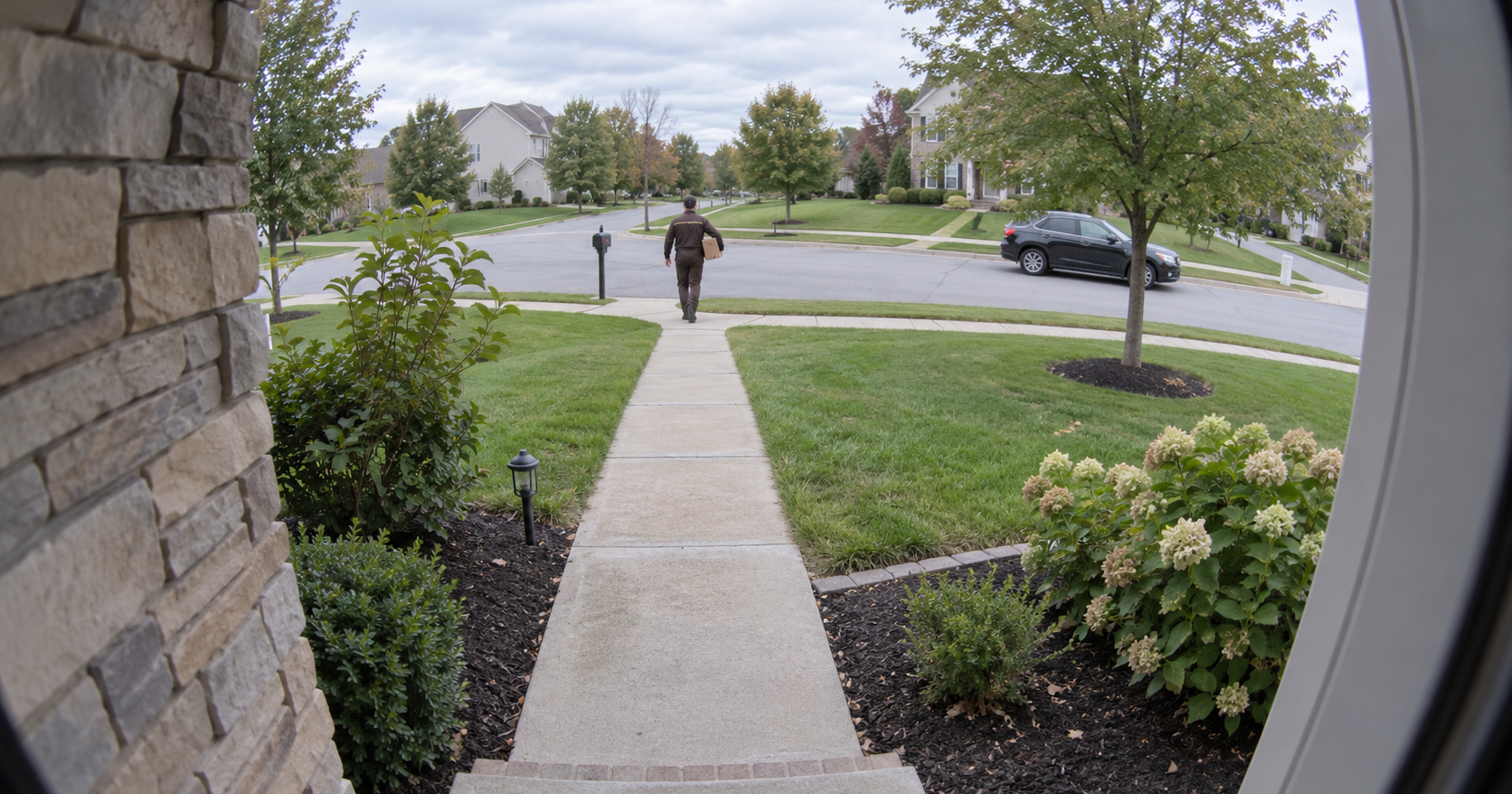
Current doorbells. Every doorbell Ring currently sells uses the same 140-degree horizontal by 140-degree vertical head-to-toe lens: Battery Doorbell 4K Pro, Battery Doorbell 2K Plus, Battery Doorbell 2K, Peephole Cam 2K, Wired Doorbell 2K, Wired Doorbell 2K Plus, Wired Doorbell 4K Pro and Wired Doorbell 4K Elite. That square view is why a correctly mounted doorbell can show a visitor's face and a package on the mat in the same frame. What separates these models is resolution, motion technology and night-vision features, not how wide they see.
The square frame has a consequence that gets missed. Because the view is 1:1, the pixel counts are square too: the product FAQs give 1920 x 1920 for the 2K doorbells and 2880 x 2880 for the Wired Doorbell 4K Pro, not the 3840 x 2160 of a widescreen 4K camera. A "4K" doorbell and a 4K camera are not the same amount of picture, and that difference drives everything in the next section.
Current outdoor cameras. Outdoor Cam 4K Pro and Spotlight Cam 4K Pro see 140 degrees horizontally by 85 vertically and record a widescreen 3840 x 2160 frame. The 2K models are close: Outdoor Cam Plus sees 140 by 80 and Outdoor Cam 2K 140 by 85. The older 1080p Outdoor Cam, still on sale, sees only 110 by 57. Cameras are built to be mounted high and tilted down, so they trade vertical coverage for horizontal reach.
Older models still on plenty of walls. The previous Battery Doorbell Pro (1536p) has a 150 by 150-degree field of view. Video Doorbell 4, discontinued, records 1080p through a 160 by 90-degree lens. Support pages for older devices list the field of view under Tech Specs, and the app shows your product name under Device Health if you are not sure which you have.
A wider angle is not a free upgrade. The same pixels spread over more scene, so everything looks smaller and farther away than it is. That is why a 1080p doorbell with a 160-degree lens turns a visitor at the bottom of the steps into a thumbnail.
How far away can you still recognize a face?
This is the question the 30-foot figure never answers, and it can be estimated from published numbers rather than guessed at.
Surveillance installers size cameras by pixel density: how many pixels land on each foot of the scene at a given distance. The IEC 62676-4 standard, as summarized in Axis Communications' white paper, sets four levels. The standard states them per meter: 25 pixels per meter to detect that someone is present, 63 to observe details like clothing, 125 to recognize a person you already know, and 250 to identify a stranger. Axis gives the same levels as roughly 8, 20, 40 and 80 pixels per foot, and the feet-based figures below use those.
A 140-degree lens covers a strip roughly 5.5 times as wide as the distance to the camera, so at 20 feet (6 m) the frame spans about 110 feet (34 m). Divide the frame's horizontal pixel count by that width and you have pixels per foot; multiply pixels per foot by 3.28 for pixels per meter. These estimates assume the device is recording at full resolution and spread the pixels evenly, and real wide-angle lenses pack more into the center than the edges, so a subject dead center does a little better than the averages below.
- 4K doorbells, 140-degree square frame (Battery Doorbell 4K Pro, Wired Doorbell 4K Pro, Wired Doorbell 4K Elite; 2880 pixels across): about 52 pixels per foot at 10 feet, 26 at 20, 17 at 30. Identification ends around 7 feet (2.1 m), recognition around 13 feet (4 m), observation around 26 feet (7.9 m).
- 4K cameras, 140-degree widescreen frame (Outdoor Cam 4K Pro, Spotlight Cam 4K Pro; 3840 across): about 70 pixels per foot at 10 feet, 35 at 20, 23 at 30. Identification around 9 feet (2.7 m), recognition around 17 feet (5.2 m), observation around 35 feet (10.7 m).
- 2K doorbells, 140-degree square frame (Battery Doorbell 2K and 2K Plus, Wired Doorbell 2K and 2K Plus, Peephole Cam 2K; 1920 across): about 35 pixels per foot at 10 feet, 17 at 20, 12 at 30. Recognition ends around 9 feet (2.7 m), observation around 17 feet (5.2 m), detection around 44 feet (13.4 m).
- 1536p, 150-degree square frame (previous Battery Doorbell Pro; 1536 across): about 21 pixels per foot at 10 feet, 10 at 20, 7 at 30. Recognition only within about 5 feet (1.5 m), observation to about 10 feet (3 m), detection to about 26 feet (7.9 m).
- 1080p, 160-degree lens (Video Doorbell 4 and similar; 1920 across): about 17 pixels per foot at 10 feet, 8 at 20, 6 at 30. Recognition within about 4 feet (1.2 m), observation to about 8 feet (2.4 m), detection to about 21 feet (6.4 m).
The practical reading: a doorbell's identification zone is the porch and nothing beyond it. Even on a 4K doorbell, the first 7 feet or so (about 2 m) are where a stranger's face is clear enough to matter. Between 7 and 13 feet (2 to 4 m) you can tell it is a person and roughly who. Past that you are watching shapes. On a 1080p doorbell those zones shrink to a few feet.
This is also where working from home quietly changes what you should care about. A camera bought to catch someone while the house is empty is being asked to detect at range. A camera on a house where you are in all day is being asked something else entirely: not "was there movement at the end of the drive" but "is that my delivery, and is that the person I am about to let in." That question lives in the first ten feet (3 m), and the first ten feet is exactly where resolution still buys you something. If you are home, the money is better spent on a sharper frame at the door than on reaching further down the street.
Ring's own product FAQ for the Wired Doorbell 2K says it can "recognize faces/objects up to 6.3 meters", about 21 feet. That is a looser use of the word than the surveillance standard allows: by IEC 62676-4, 21 feet on a 2K doorbell is observation territory, enough to read build and clothing, not enough to pick a stranger out of a lineup. The same goes for the Outdoor Cam 4K Pro page's claim that 4K makes it "easier to identify people, objects, or license plates". Easier at close range, yes. Not at the far end of the motion zone.
Two things drag these numbers down further. Video resolution may vary with bandwidth, and 15 Mbps upload is the recommendation for 4K devices, so a weak connection can leave a 4K camera streaming well under 4K. Motion blur, backlighting and a subject who never turns toward the lens cost detail that no resolution recovers.
Night vision: what changes after dark
Night Vision on current devices is two modes that switch automatically. In dim light the camera keeps recording in color, which is what lets you see a jacket or a vehicle color; Ring does not say how much light that takes, and in our reading nearby street lighting is the typical source. In full darkness it drops to black-and-white infrared. Older devices expose this as a Color Night Vision toggle under Video Settings.
Ring publishes night-vision distances for only a few models. The two figures we found, both in product FAQs, are "Night Vision up to 10m range" for the Wired Doorbell 2K and infrared "illumination up to 6m from the source" for the Battery Doorbell 2K. So 20 to 33 feet, well short of the daytime view.
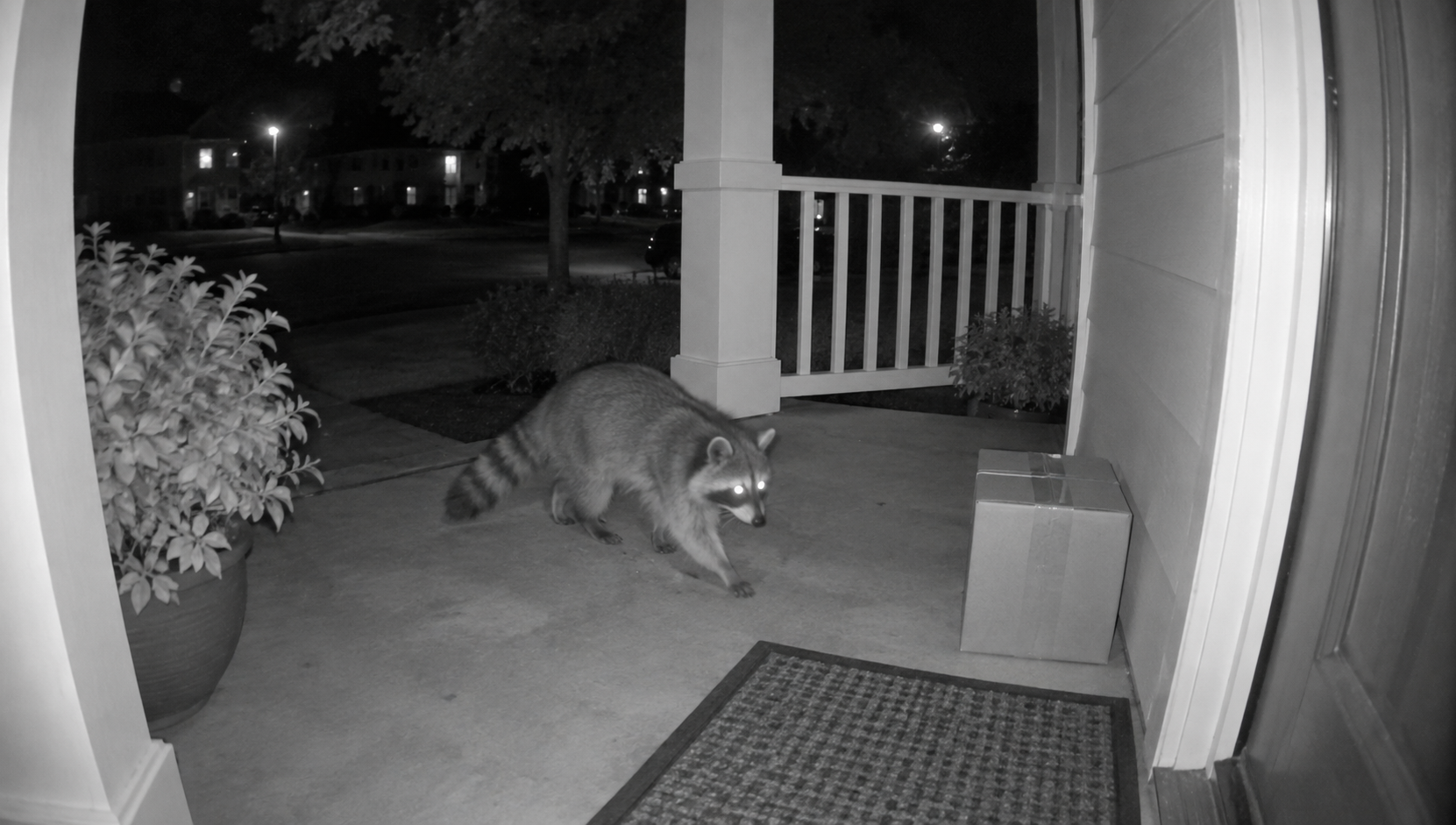
In infrared mode the camera lights the scene with its own LEDs, and that light has to travel out and bounce back. Close objects return bright, sometimes blown out; distant ones fade to nothing. Newer models add Adaptive Night Vision, which adjusts the illumination to reduce dark shadows and washed-out close-ups, but it does not turn a porch light into a floodlight. After dark, treat the porch and near driveway as the reliable zone and treat color detail beyond it as a bonus that depends on the street lights.
Reflections are the other nighttime problem. Infrared bounces off a nearby wall or a window in front of the lens and washes the image out. The Wedge and Corner Kit guide recommends a Corner Kit to angle a doorbell away from an adjacent wall for exactly this reason, and the infrared light can be switched off entirely on Indoor Cams and some Stick Up and Outdoor Cams facing a window.
PIR motion detection does not care about darkness, because it reads heat. Camera-based features such as Smart Alerts and person detection depend on image quality, so they degrade at night before the basic motion trigger does.
Mounting height and angle change the range more than the model does
The positioning guidance is specific. Doorbells go 48 inches (1.22 meters) from the ground for optimal motion detection; the wide lens means they do not need to go higher to catch faces, and mounting too high or too low produces inconsistent detection. Outdoor cameras are designed for 8 to 10 feet (2.4 to 3 m) with a 20-degree downward tilt. Indoor cameras up to 8 feet (2.4 m), facing into the room and away from windows. Bird's Eye Zones on cameras want a steeper 45 to 60-degree tilt with the horizon level in frame.
If your door sits above steps, or the siding is angled, a Wedge Kit tilts the doorbell: most models stack three 5-degree wedges for up to 15 degrees, while the kits for Wired Doorbell Pro and Video Doorbell Wired use two 10-degree pieces. A Corner Kit turns the view sideways, up to 45 degrees in 15-degree steps on most doorbells, or a single 25-degree piece on those two wired models.
Ring lists them on its accessories page, one Wedge Kit and one Corner Kit per doorbell generation, at $9.99 or $19.99 each, US prices in USD on ring.com, in September 2026; for the current battery doorbells the Wedge Kit and the Corner Kit are $9.99 apiece. Other countries' Ring stores carry their own kits and prices. They cost a fraction of a model upgrade and they do something no upgrade can: they point the fixed lens and the motion sensor at the path people walk.
What shrinks the range without you noticing
- Motion Zones. Up to three per device, and they limit which motion produces alerts. A zone drawn tightly around the porch is a 10-foot (3 m) motion range, whatever the spec sheet says.
- Privacy Zones. Up to two per device. They black out part of the video permanently in recordings, and motion behind a Privacy Zone can still trigger a recording of a blacked-out area. If the camera gets nudged, the zone stays where it was on the frame, not on the world.
- Motion Sensitivity and Motion Frequency. A low sensitivity setting shortens detection range, and Periodically mode on battery devices adds a pause after each event.
- Glass. Ring says a camera facing a window, screen or other transparent barrier can have motion detection problems, and reflective surfaces in view affect detection. Windows also throw infrared back at the lens at night.
- Bandwidth. The lens sees the same scene regardless, but the video that reaches the cloud, and your phone, is scaled to your upload speed. That is 15 Mbps for 4K devices and 2 to 2.5 Mbps for older 1080p and 1536p models.
- Weather and obstacles. Rain, foliage and reflective surfaces affect both PIR and radar.
When this guide does not apply
The figures above are for Ring's fixed-lens doorbells and cameras sold in the United States, from Ring's US pages; metric figures in parentheses are Ring's or Axis's own where they publish them and our conversions elsewhere. The Pan-Tilt Indoor Cam and the Stick Up Cam on a Pan-Tilt Mount rotate, so their coverage is a question of where you point them, and they do not support Privacy Zones. Ring Alarm motion detectors are a different product with their own ranges and are not covered here. First-generation devices lack some of what is described above. Specifications and feature lists change, so for a purchase decision check the Tech Specs on the product page for the exact model, and for a device you already own, confirm the model in the app first.
Sources
- Ring Help, "Using Motion Zones for Cameras and Doorbells" (accessed September 8, 2026)
- Ring Help, "Using Motion Detection" (accessed September 8, 2026)
- Ring Help, "Use Bird's Eye Zones for More Relevant Motion Alerts" (accessed September 8, 2026)
- Ring Help, "Night Vision in Ring devices" (accessed September 8, 2026)
- Ring Help, "Positioning doorbells and security cameras" (accessed September 8, 2026)
- Ring Help, "Using a Wedge or Corner Kit with your doorbell" (accessed September 8, 2026)
- Ring Help, "Using privacy features in the Ring app" (accessed September 8, 2026)
- Ring Help, "Maximizing Your Smart Lights Motion Detectors" (accessed September 8, 2026)
- Ring Help, "Ring product name changes" (accessed September 8, 2026)
- Ring Help, "Finding your Ring doorbell or camera model in the Ring app" (accessed September 8, 2026)
- Ring, Battery Doorbell 4K Pro product page and doorbell comparison (accessed September 8, 2026)
- Ring, Outdoor Cam 4K Pro product page and camera comparison (3840 x 2160; 140 x 85; FAQ: license plates, Adaptive Night Vision, Enhanced Zoom) (accessed September 8, 2026)
- Ring, Wired Doorbell 2K product page (FAQ: 1920 x 1920, motion up to 31 m, faces up to 6.3 m, Night Vision up to 10 m; spec: Motion Detection) (accessed September 8, 2026)
- Ring, Battery Doorbell 2K product page (FAQ: 1920 x 1920, infrared illumination up to 6 m) (accessed September 8, 2026)
- Ring, Wired Doorbell 4K Pro product page (FAQ: 2880 x 2880, 1:1 aspect ratio) (accessed September 8, 2026)
- Ring, Wired Doorbell 2K Plus and Battery Doorbell 2K Plus product pages (FAQ: 1920 x 1920) (accessed September 8, 2026)
- Ring Help, Battery Doorbell Pro tech specs (accessed September 8, 2026)
- Ring Help, Video Doorbell 4 tech specs (accessed September 8, 2026)
- Ring Help, Battery Doorbell 4K Pro tech specs (2880 x 2880) (accessed September 15, 2026)
- Ring Help, Wired Doorbell 4K Elite tech specs (2880 x 2880, 140 x 140) (accessed September 15, 2026)
- Ring, Outdoor Cam Plus product page (140 x 80) (accessed September 15, 2026)
- Ring, Outdoor Cam 2K product page (140 x 85) (accessed September 15, 2026)
- Ring, Outdoor Cam product page (1080p, 110 x 57) (accessed September 15, 2026)
- Axis Communications, "Pixel density based on IEC 62676-4:2014" (white paper, April 2026) (accessed September 8, 2026)
- Ring, Accessories overview (Wedge Kits and Corner Kits per doorbell model, prices) (accessed September 14, 2026)
- Ring, "Wedge Kit for Battery Doorbell, Battery Doorbell Plus, Battery Doorbell Pro" product page (price) (accessed September 14, 2026)
- Ring, "Corner Kit" product page for Battery Doorbell (2nd Gen), Plus and Pro (price) (accessed September 14, 2026)